Flova Logo

Your All-in-One Video Agent

AI Drama Video Generator for Stories You Can Direct

Turn a dramatic idea into a project you can direct. Flova AI drama video generator connects scripts, character references, storyboards, generated scenes, and editing. Tell Flova Agent what happens, review its plan, and refine the moments that carry the story.

Shape Your Story with an AI Drama Video Generator

Plan Playable Scenes with an AI Drama Video Maker

Give Flova AI drama video generator the conflict, the characters, and the change you want by the end. Flova Agent organizes the idea into a script and scene plan, aligning the opening, turning point, and final image so each scene advances the story rather than repeating the premise.

Create Now

Keep Character References Close to Every Shot

Save approved character images, costumes, and scene notes in the project. Use them to guide later generations and compare results. When a still is approved, animate an approved character image within the same visual direction.

Create Now

Approve the Storyboard Before the Full Sequence

The storyboard shows shot size, camera direction, setting, and action as a connected sequence, so you can judge the plan before committing to every scene. Keep the opening, turning point, and final image aligned with the script.

Create Now

Revise the Moment That Needs Work

Comment on a particular scene or material, explain what feels wrong, and keep approved work available. Flova Agent uses the project context to continue. Compare versions and review the edit rather than treating one generation as the finished dramatic sequence.

Create Now

Make the Next Episode a Repeatable Creative Process

Your project holds the script, storyboard, assets, versions, and feedback. When a recurring series develops a clear aesthetic and review process, use reusable Flova Skills to carry those creative rules into later work while leaving episode-specific decisions under your control.

Explore Flova Skills Explore Flova Skills

Drama Video Creation for Different Story Formats

Different ideas need different structures. Choose a reveal, explanation, or visual story according to the message you want the viewer to remember.

Short Dramatic Scenes

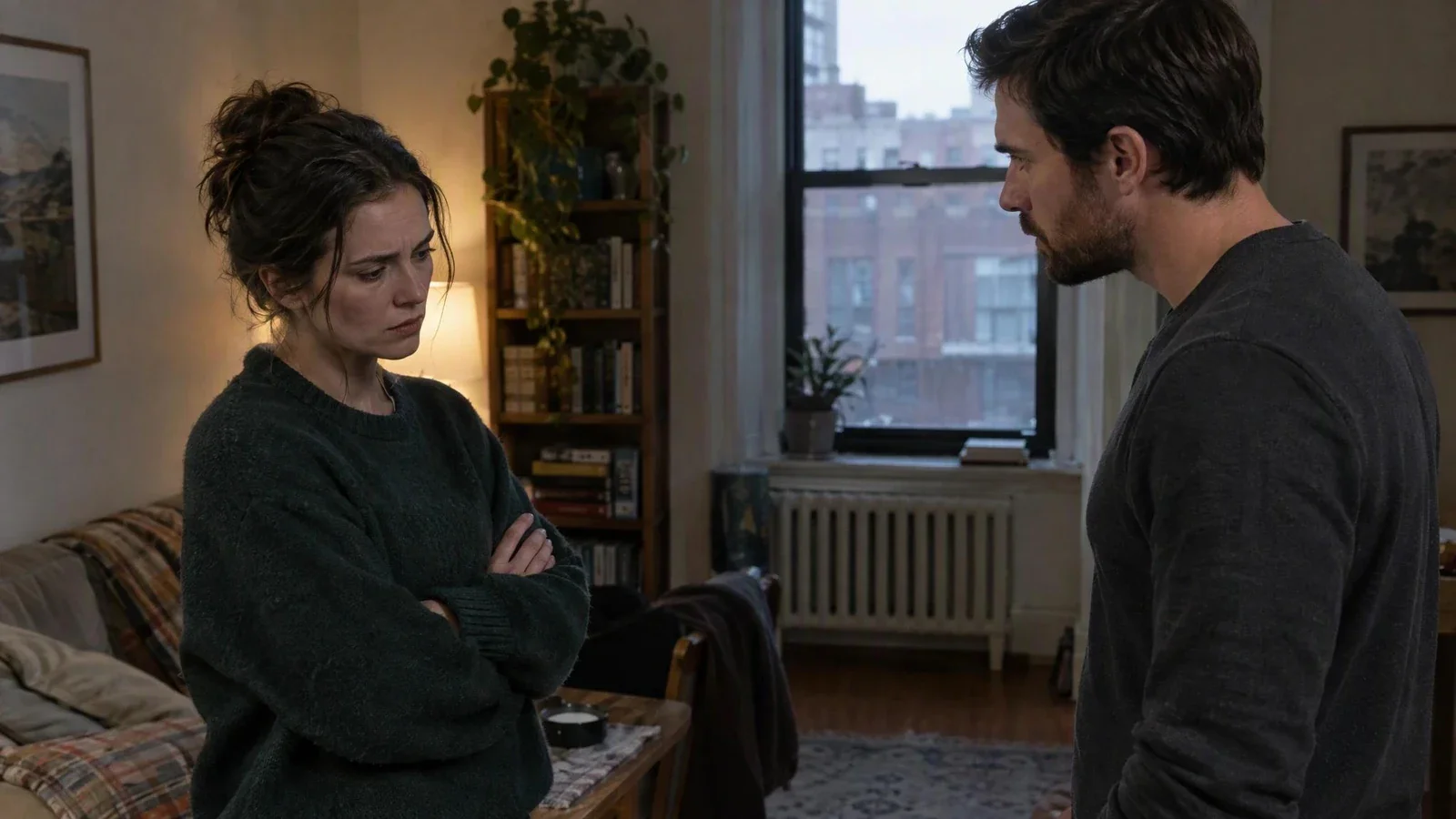
Use Flova AI drama video generator to build a contained scene around a choice, misunderstanding, or reversal. Start with one location and a manageable cast, and expand the idea once the emotional progression holds across performance, camera distance, and scene order.

Adult fictional siblings in a quiet apartment scene
Create Now

How to Use Flova AI drama video generator

Start with the audience and the idea you want them to remember. Follow these four steps to plan your story, generate the scenes, and review the final cut.

  1. Describe the Conflict and the Ending

    Share your premise, intended audience, tone, and the change you want the characters to experience. Upload an existing script or relevant references if you have them. Identify the story decisions you want to approve before production moves forward.

  2. Review the Script and Character Direction

    The Agent's plan covers scene order, motivations, dialogue, and character references. Resolve contradictions before creating every shot. Keep approved details visible so the Agent and your own edits work from the same creative direction.

  3. Approve the Storyboard and Generate Scenes

    Review the action and visual purpose of each shot. Ask for focused changes where the staging is unclear, then generate the approved scenes. Compare new material against the character references, setting, and emotional intention.

  4. Refine the Sequence and Prepare the Edit

    Watch the story in order. Continuity, pacing, performance, and transitions are visible as one flow. Revise weak moments while approved material stays in place. The finished sequence plays at its intended viewing size before you choose the output settings.

Create with Flova

Production Decisions for a Directed Dramatic Story

Give Every Scene a Dramatic Job

A scene should change what a character knows, wants, or risks. Decide what is different at its ending before generating footage, and that change becomes the target the script and storyboard are built around. A visually attractive shot can still be unnecessary if it does not move the scene forward. For a short drama, a small choice often carries more weight than a large amount of backstory. Use the AI drama video generator to explore the scene, but keep the cause-and-effect chain clear: an action creates a response, and that response changes the next decision. Review this chain again when you shorten the edit.

Separate Character Identity from Performance Direction

Character references give the AI drama video generator a direction for appearance, wardrobe, and recurring details. Performance direction explains what the character is doing or feeling in a particular shot. Keep these instructions separate enough that a change of expression does not become an accidental change of identity. Close shots carry the approved reference, and wider shots keep costume and silhouette continuity. When a result is wrong, identify the specific mismatch rather than asking for a generally better scene. Flova Agent can continue from that focused feedback. Save a new reference only when you intend the revised appearance to guide subsequent scenes.

Control Shot Complexity Before Increasing the Cast

Crowded scenes make it harder to assess eyelines, reactions, and character consistency. Establish the principal relationship with readable shots before adding secondary activity. Decide which character owns the moment, where the other person is looking, and what movement is essential. A simple reverse shot may explain a conflict more clearly than a moving camera around several people. Your AI drama video generator brief describes the intended action, not just a cinematic mood. Hands, props, entrances, and exits stay readable when they matter to the plot. Simplify staging when a shot repeatedly loses the story information you need.

Let Sound and Image Support the Same Intention

Treat dialogue, music, and ambience as creative decisions in your AI drama video generator project, rather than decoration added to hide a weak scene. A quiet exchange may work better without constant music; a sound from outside the frame can change what a character expects. Review spoken moments in the context of the shot and confirm that the intended meaning remains clear. When a visible speaker needs assigned audio, plan that requirement explicitly instead of assuming every generated shot has the desired performance. Watch the full sequence with sound, then revisit transitions that make the emotional progression feel abrupt or disconnected.

Use Versions to Compare Real Creative Alternatives

As an AI drama creator, you can compare a reaction, opening, or camera distance without losing the script context. Keep the storyboard, characters, scenes, materials, versions, and revision tasks together on the Agent canvas. Flova Agent coordinates the image, video, and music models needed for the project, while you can step in with manual edits alongside its work. Save approved characters, environments, music, and documents in the asset library for reuse across projects. A Skill can retain the production rules for later episodes. Teams using external Agents can also connect through Flova CLI, with the same creative brief and review decisions guiding the work.

Review the Complete Story Before Higher-Resolution Delivery

A larger output will not repair a confusing sequence, inconsistent character, or weak performance. Review those issues first, then consider upscaling approved footage for the intended delivery. Check the source and processed result at the actual playback size, especially around faces, fine costume detail, and movement. Keep the available settings separate from your story approval: a technically larger file is not automatically the better version. For a series, save the approved visual direction and useful assets so the next episode begins with established context rather than another round of basic explanations.

Preserve Cause and Effect When Shortening an Episode

A shorter edit should retain the decisions that make the ending understandable. Before removing a shot, identify the information it gives the audience: a new motive, an important object, a reaction, or a change of location. Use the AI drama video generator to revise the missing story moment rather than filling the gap with unrelated atmosphere. Compare the new sequence with the script and check whether the next action still follows logically. Keep an approved version of the longer cut available while you test the shorter one. An AI drama video generator project is easier to continue when the reason for each edit remains attached to the scene, so save that decision with the relevant material before moving on to another episode.

AI Drama Video Generator FAQ

What Does an AI Drama Video Generator Do in Flova?

  • You can develop an idea or uploaded script into a connected video project. Flova Agent helps organize the script, character references, storyboard, scene generation, and edit. You review intermediate work and keep control over the decisions that determine the story.

Can an AI Drama Video Generator Use an Existing Script?

  • Yes. Upload your script as project material and explain the intended tone, audience, and scope. Review the proposed scene breakdown before generation. Clarify which dialogue, characters, and events must remain unchanged and where you want creative alternatives.

How Can I Keep Characters Consistent?

  • Give the AI drama video generator approved reference images, wardrobe notes, and scene descriptions throughout the project. Review each result against them rather than assuming consistency is automatic. Correct visible mismatches before you build more scenes around a reference that has drifted.

Can an AI Drama Generator Make a Longer Story?

  • You can plan a longer story as multiple scenes and assemble an edit. Model capabilities and individual generation limits vary, so build the production around reviewable shots. A connected project lets you keep the script and recurring assets available across that sequence.

Can I Change One Scene without Discarding the Project?

  • Point to the shot that needs work and describe the change. Flova Agent regenerates that moment while approved material and the rest of the sequence stay available, and the revised scene returns to its place beside its neighboring shots.

Can I Use the Same Creative Process for More Episodes?

  • Yes. Keep approved characters, settings, references, and project documents available for reuse. A Skill can capture a repeatable aesthetic and workflow, while the next episode still needs its own script and creative review. Confirm rights for all supplied assets before publication.