Flova Logo

AI Music Video Generator for Song-Led Visual Stories

Give your song a visual story with Flova’s AI music video generator from audio. Develop a concept, plan the scenes, and bring generated shots together with your track—all in one creative project.

Create a Music Video

Shape the Song with Our AI Music Video Generator

A music video needs a visual idea that survives more than one impressive shot. Keep the song, references, and scene plan connected so you can judge how every change affects the sequence.

Upload Your Song and Build a Visual Structure

Use Flova as an AI music video maker to develop a narrative concept and shot plan around your track. Give each verse, chorus, or instrumental passage a visual role, from a recurring setting to a change in action or atmosphere.

Create Now
Vinyl sleeve, headphones, and photographic story cards arranged to plan a song-led video

Establish a Look You Can Describe

Use a small reference set to define locations, materials, color, and camera language. Give our AI music video generator concrete direction rather than asking only for something cinematic. A consistent visual brief makes it easier to compare new shots and explain what needs changing.

Create Now
The same coastal setting shown in two restrained photographic color directions

Carry References Across the Shots

Keep approved character, product, or setting references available as the project develops. You can animate a reference image when a still is the right starting point. Compare generated shots for changes in identity, clothing, objects, and lighting before using them together.

Create Now
One fictional adult singer shown consistently across three different story settings

Refine the Sequence Within the Project

Our AI music video creator connects storyboards, generated shots, and editing timeline work within the same project. Refine a scene, adjust shot order, or reshape the audio arrangement while keeping your song and visual direction together.

Create Now
Three paper-boat film stills arranged in a clear beginning-to-end sequence

Flova Skills for Repeatable Music Video Projects

Flova Skills provide reusable creative workflows for your next music video. Start with a method that fits your visual goal, then bring in the song, references, and scene direction to make the project your own.

Explore Flova Skills

AI Music Video Generator Ideas for Your Next Release

Choose a format that fits both the music and the material you can supply. A performance, visualizer, and narrative video need different planning decisions; they do not have to share one production approach.

Independent Singles and Release Campaigns

Develop a visual identity around a song before building the full sequence. Use the AI music video generator to explore a setting, recurring object, or short narrative. Keep approved artwork, artist references, and campaign requirements together so related release assets feel connected.

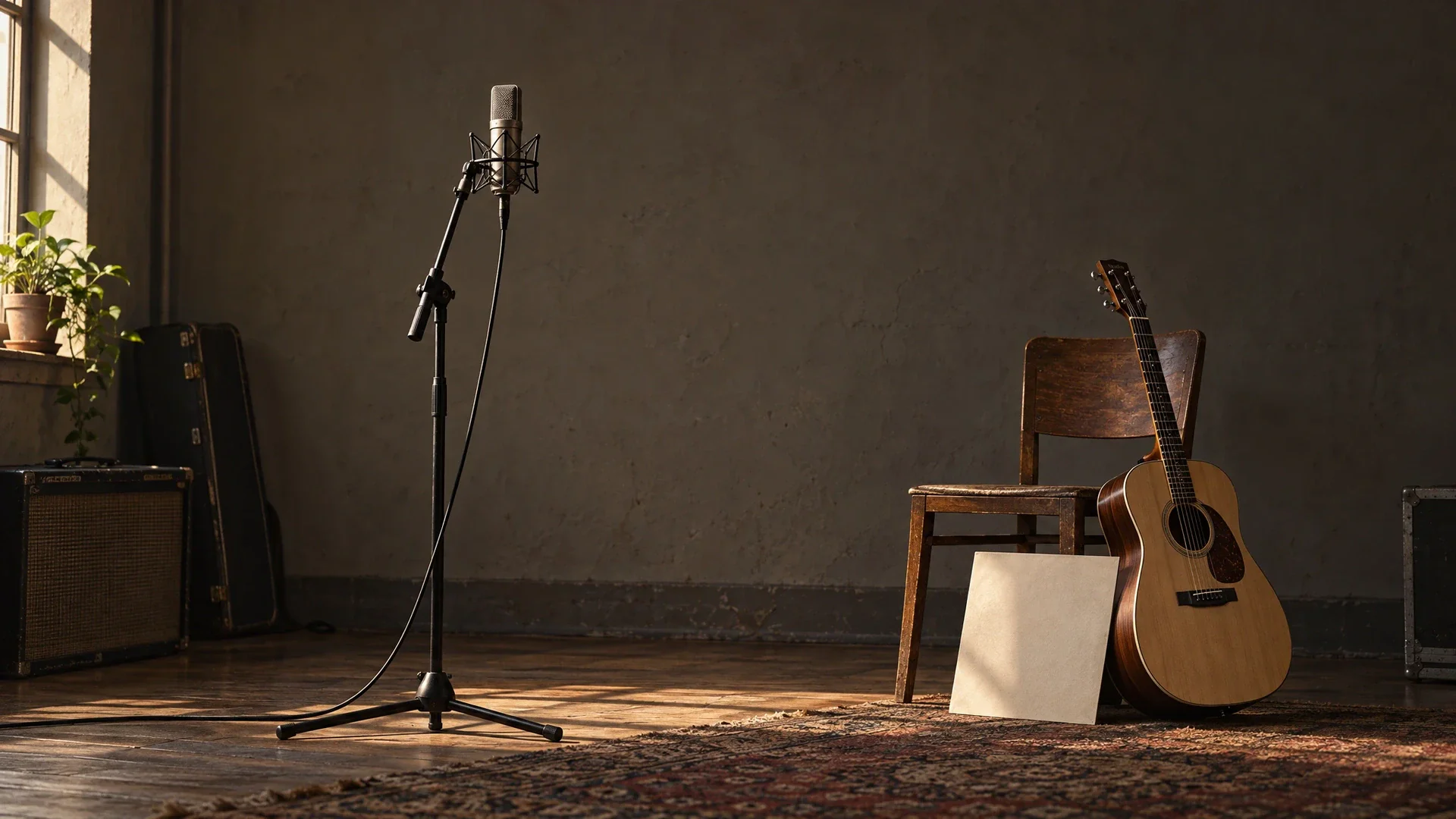
A microphone, guitar, and unbranded record sleeve in a naturally lit rehearsal room
Create a Music Video

From Audio to Music Video: How to Build Your Sequence

Start with your song and a visual idea. These four steps show you how to use Flova’s AI music video generator to plan scenes, refine shots, and edit the sequence.

  1. Add the Song and Your Brief

    Start a project with audio you are authorized to use. Describe the audience, mood, visual approach, and important song sections. Specify whether you want to begin with a concept, storyboard, reference images, or generated shots.

  2. Review the Concept and References

    Ask Flova Agent to develop the visual plan. Review character, setting, and style references before committing to a long sequence. Identify which musical changes need a new shot and which can stay within the same visual idea.

  3. Generate and Refine the Shots

    Use the approved plan to guide generation. Inspect a small set of connected shots first. Explain one visible issue at a time, and keep approved references available when asking for revisions.

  4. Review the Edit and Export

    Watch the sequence with the song. Check pacing, transitions, factual details, and framing. Adjust the available timeline and audio controls, then export the approved result using the options available in the project.

Start Your Project

Plan a Music Video That Holds Together

Decide What the Song Needs the Viewer to Notice

An AI music video generator is easier to direct when the central visual idea can be stated plainly. A recurring object might represent a relationship, a journey might give a verse direction, or one setting might change as the song develops. Decide what should remain in the viewer's memory before adding more locations or effects. For a music video (MV), our AI MV generator workflow helps turn the song’s direction into a reviewable visual sequence, not a literal image for every word. For a narrative-led music video, develop a multi-scene story with a clear opening, progression, and ending, then judge each proposed shot against that structure.

Mark Musical Sections Before Choosing Every Cut

Listen for changes in energy, instrumentation, vocal delivery, and silence. Note where a new scene would help and where holding a shot would let the music breathe. Give the AI music video generator those observations as creative direction, not as a demand to discover one objectively correct edit. A cut on every beat can become predictable. Compare the sequence at normal speed and make deliberate choices about when the image follows the rhythm and when it creates contrast.

Keep the Song and Lyric Tasks Separate

Making imagery for a track is different from producing exact on-screen lyrics. If the project needs words, prepare the authorized lyric text and specify where it should enter and leave. Check spelling, line breaks, contrast, and timing independently from the generated scenes. Do not treat a request for a music video as proof that accurate typography, a finished subtitle track, or word-perfect synchronization will appear automatically. Keeping those decisions explicit protects both readability and the song's intended meaning.

Test References on a Short Sequence

Test a short passage with the approved character, setting, and style references before committing to the whole song. Compare adjacent shots for identity, clothing, light, and spatial continuity, especially at the hardest transition. An AI music video generator can produce alternatives, but a recurring subject still needs human review across cuts. If the test fails, identify whether the reference, shot plan, or generated action caused the mismatch before producing more material.

Review the Output at Its Real Viewing Size

A frame that looks clear on a large monitor may lose its main subject on a phone. Watch the intended version at normal playback size and inspect faces, product details, fine patterns, and any visible words. Check both motion and individual frames where a detail looks unstable. When a clean clip needs a larger delivery frame, upscale lower-resolution footage and compare it with the source; more pixels do not repair incorrect faces or objects. If the release needs several compositions, plan those versions before the final edit instead of assuming one wide image will serve every placement without adjustment.

Keep Audio and Publication Rights Explicit

Your ability to upload an audio file does not establish permission to publish it. Confirm the rights for the recording, composition, lyrics, likenesses, and other supplied material. All four Personal plans include commercial use and watermark-free export. An AI music video generator is a production tool, not a transfer of rights from the people who own a song or image. Keep the approved track and rights information with the project so a later edit does not accidentally replace authorized material with an unapproved version.

AI Music Video Generator FAQ

What Does an AI Music Video Generator Do in Flova?

It helps you develop a song-led visual project through conversation, references, storyboards, generated media, and editing. You supply the creative direction and review the results. The AI music video generator workflow is not a promise of a finished, publication-ready video from one unattended request.

Can I Use My Own Song with the AI Music Video Generator?

Yes. Start with audio you are authorized to use. In a song-to-video AI workflow, describe the visual goal, develop a storyboard, and review generated shots alongside your track. Adjust shot order and duration in the edit rather than assuming automatic beat matching.

Does an AI Music Video Generator Match Every Beat Automatically?

Do not assume exact automatic beat matching. Identify important song sections in your brief, review the generated sequence with the audio, and adjust the edit. Different workflows and models can expose different controls.

Can I Make an Animated Music Video?

You can develop an animated visual direction using original character and style references, then plan and generate the shots. Compare the sequence for continuity and review the available model settings before production.

Can I Change One Scene Without Replacing the Whole Idea?

Flova supports focused work on storyboards, generated media, and the editing timeline. Describe the scene or visible detail that needs revision and preserve the approved references. Review the revised shot alongside its neighbors before keeping it.

Which Plans and Credits Can I Use for a Music Video?

Personal plans billed annually cost $17/month for Starter (2,000 credits/month), $42 for Basic (5,000 + 500 bonus), $84 for Plus (10,000 + 3,000 bonus), and $167 for Pro (20,000 + 10,000 bonus). The bonus amounts reflect the current offer. Generation uses credits according to the model, duration, resolution, and settings; credits are not a fixed allowance of video minutes.

Create Your Next Music Video in Flova

Bring your song, references, and one clear visual idea. Use Flova's AI music video generator to plan the sequence, develop the shots, and refine the edit around the music.

Create a Music Video