Seedance 2.5 has been getting a lot of attention, and not just because the demo clips look better. The bigger point is simpler: it tries to fix some of the annoying parts of making AI videos. Clips are often too short. References can get messy. And sometimes you only want to fix one small detail, but the tool makes you regenerate the whole video.
Seedance 2.5 goes after those problems with 30-second generation, up to 50 reference assets, and the ability to edit only part of a scene.
What is Seedance 2.5?
Seedance 2.5 is ByteDance’s new AI video generation model. It was introduced on June 23, 2026, at the Volcano Engine FORCE conference. Instead of only showing prettier sample videos, ByteDance seems to be focusing more on the real workflow behind video creation: Can the video be longer? Can the model follow more references? Can you fix one part without ruining the whole clip?
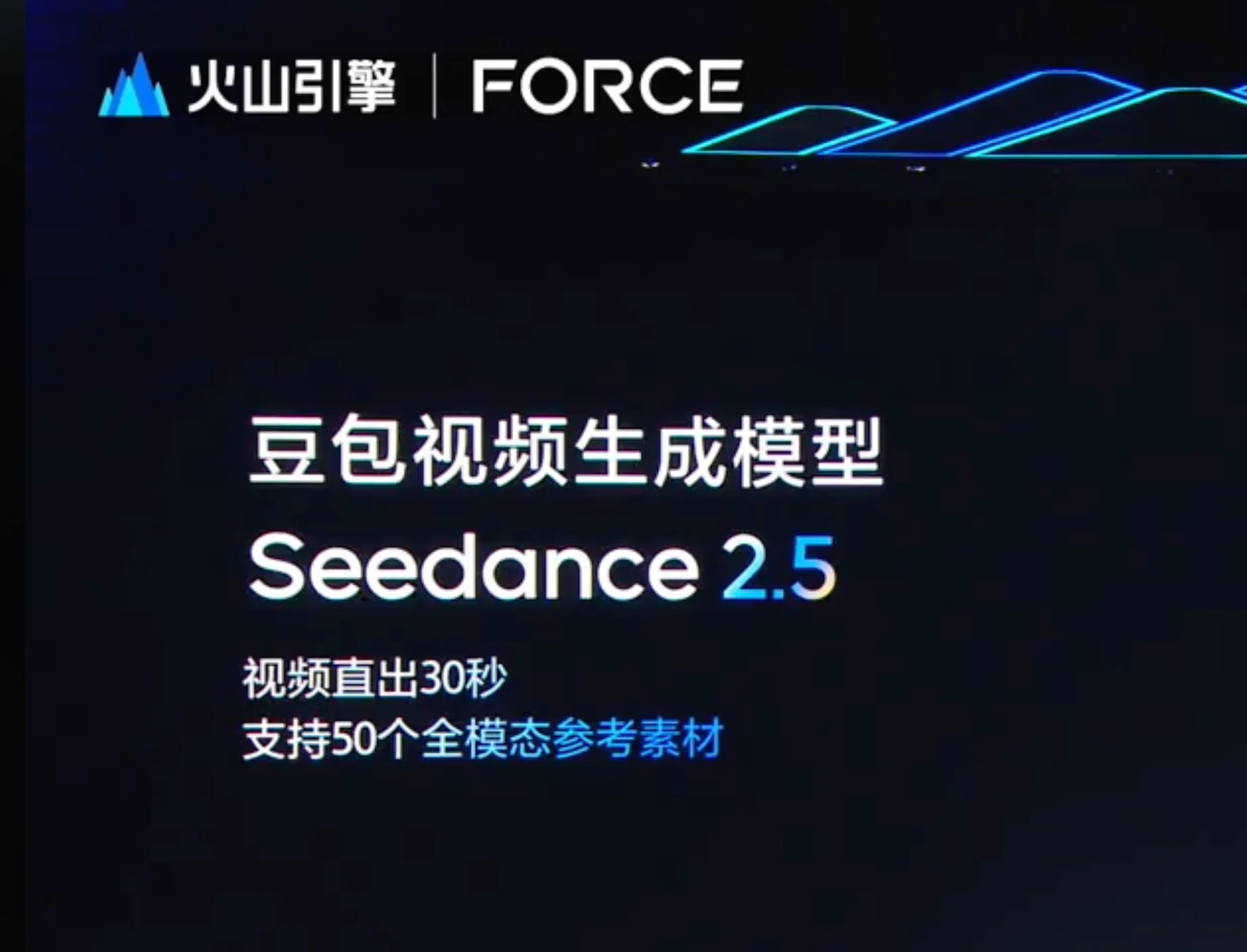
Seedance 2.0 already supports text, image, video, and audio in one workflow. Seedance 2.5 builds on that base. It adds longer videos, more references, and a way to refine only the parts of a video that need changes. In plain English, AI video starts to feel less like a one-shot gamble and more like something you can revise.
Seedance 2.5 feature breakdown
The main upgrades are easy to understand: videos can be longer, references can be richer, and edits can be more specific. Seedance 2.5 supports single-shot videos up to 30 seconds, up to 50 multimodal reference assets, and the ability to edit only part of a scene while keeping the rest mostly intact. ByteDance also showed a demo using an untextured 3D model and material references to guide a finished moving shot.
30-second generation with less stitching
Volcano Engine Seedance 2.5 can generate a video up to 30 seconds in one pass. That means creators do not have to make several short clips and then stitch them together with cuts, extensions, or awkward transitions. The useful part here is continuity. If a scene is generated as one longer clip, the character’s look, lighting, camera movement, and space are more likely to stay consistent.
A 30-second video also feels more controllable and more open to creative choices. This upgrade can help an ad show the product more clearly from start to finish. It also gives short stories and long camera moves more space to play out naturally. For many creators, honestly, that is more useful than a flashy number on a spec sheet.
The FORCE demo showed a 30-second narrative clip with changes in framing, space, and pacing. So the goal is not only “make it longer.” It is also about letting one generated clip carry a more complete rhythm.
Up to 50 reference assets for clearer control
Seedance 2.5 can use up to 50 reference assets in one generation. These can include text, images, videos, and audio. Instead of cramming every requirement into one long prompt, creators can split things up: character design, product photos, clothing, locations, color direction, camera movement, action clips, and sound cues.
This matters a lot for commercial work. A brand video cannot have the product changing from shot to shot. A short story cannot have a character suddenly look like someone else halfway through. If a project has rules for brand colors, character appearance, setting, and camera style, separate references help the team explain the idea more clearly. They also give the model a better chance of following the brief.
Here’s the catch, though: more references do not automatically mean more control. The real question is whether Seedance 2.5 can still understand which references matter most when the input gets crowded. If it cannot, characters, styles, and instructions may start pulling the video in different directions.
Partial scene editing for quick fixes
Besides longer videos and more references, the ability to edit only part of a scene may be the feature creators care about most. AI video often gets almost everything right, then fails in one small spot. Maybe a hand looks strange. Maybe a product detail shifts. Maybe an object in the background disappears. In many older workflows, fixing that tiny problem means regenerating the whole video, and yep, the parts you liked may change too.
Seedance 2.5 is meant to make that less painful. Instead of rebuilding the whole clip, creators can change only the parts that need work. They might replace an object, adjust a character’s movement, or fix one area of the scene. The rest of the composition, lighting, and style can stay in place. ByteDance also showed an ad example where selected elements were changed for different markets.
For ads and commercial videos, this is a big deal. A team could keep the same camera move and visual tone, then change a product, background detail, or small story beat without rebuilding the whole clip from scratch.
Reference-guided video for more complex scenes
Another interesting part of Seedance 2.5 is how it can use references to guide more complex scenes. Instead of relying only on a text prompt, creators can give the model something more structured to follow, such as a green-screen clip, a motion reference, or an untextured 3D model.
That matters when a shot has multiple characters, movement, and spatial interaction. A structured reference can help guide where characters move, how they interact, and how the scene is arranged. In simple terms, the model is not just guessing from words. It has a clearer path to follow, which can make complex AI video scenes feel more precise and stable.
For production work, that could be useful for ads, animation previews, game cutscenes, product visualization, and scenes where text alone is not enough to control the action. For now, though, it is still better to treat this as a demo workflow until ByteDance shares more details about supported inputs, limits, and real-world access.
When will Seedance 2.5 be available?
Seedance 2.5 is now available, rather than merely announced or previewed. ByteDance’s official model page now provides both “Try Now” and “Get API” options, while Flova AI launched support for Seedance 2.5 on August 10, 2026. On Flova, creators can generate videos up to 30 seconds and use up to 50 multimodal references. An August 17 update also added 1080p output, video extension, subtitle removal, and regeneration with the original settings.
🎉 Seedance 2.5 Super Savings Month. Up to 80% OFF — Limited Time Only
How much will Seedance 2.5 Cost?
Seedance 2.5 now has official API pricing. On BytePlus, video generation costs about $0.206 per second at 480p and $0.462 per second at 720p. A 10-second video costs about $2.06 or $4.62. Both rates are higher than Seedance 2.0.
Seedance 2.5 is doing more work than Seedance 2.0. Longer single-shot videos, bigger reference sets, and scene-level edits all mean the model has more information to process. If you also need several revisions, product swaps, or style tests, the real cost will not be as simple as “one video equals one price.”
For teams, the practical question is this: can the workflow produce usable results consistently? Failed generations, credit rules, revision costs, and the total project budget may matter just as much as the headline price.
What are creators saying about Seedance 2.5?
The overall reaction is positive, but not blindly positive. Creators are excited about the technical jump, while still asking very practical questions. Can ordinary users access it? Will it be affordable? Will 30-second videos stay stable? Can it be used safely for commercial work?
- The new features are getting attention: 30-second generation, 3D references, and 50 reference assets all sound useful. Many creators see Seedance 2.5 as one of the more ambitious AI video models being discussed right now.
- Pricing and credits are still a big question: People want to know not only the base price, but also whether failed generations use credits and how many attempts it may take to get one usable shot.
- Thirty seconds still has to hold together: A longer clip is only helpful if characters, locations, and motion do not drift halfway through. Creators want to see raw 30-second outputs, not only polished promo edits.
- Human motion and image quality need real tests: Multi-person scenes, close-ups, fast movement, skin texture, flicker, blur, and audio quality are all areas people want to pressure-test.
- Fifty references could get messy: A large reference set only helps if the model can actually follow it. Otherwise, the references may fight each other.
- Access is still unclear: Users are still asking when Seedance 2.5 will show up through official tools, APIs, Dreamina, Higgsfield, or other partner platforms.
- Commercial rules matter: Real faces, animated characters, copyright issues, and content review rules could all affect professional use. Some creators also worry that pricing or credit rules may change once the model becomes popular.
What makes Seedance 2.5 worth watching for creators?
The most interesting part of Seedance 2.5 is not one single number. It is how longer generation, reference control, and scene-level editing start to fit together. You can define the character, scene, and style first, generate a longer clip, then fix only the parts that need work. That is much closer to how people actually make videos.
For ad teams, this could mean making one base version and then changing product details for different markets. For film and animation teams, the 3D reference workflow could help with early scene planning. For short-form creators, 30-second generation makes it easier to create a complete action or dialogue moment without stitching together tiny clips.
AI video is moving away from the old “type one prompt and wait” pattern. The better workflow is becoming planning, reference management, model choice, generation, and revision. If you want to get ready before Seedance 2.5 becomes available, Flova AI can help you organize that process.
- A more planned video workflow: Start with the topic, shots, assets, and generation goals before making the video, instead of relying on random trial and error.
- Clearer creative logic: Break an idea into scenes, prompts, and timeline steps so the result is easier to guide and review.
- More flexible model and Skill choices: Flova AI supports multiple popular video models and lets creators choose Flova Skills based on style, speed, and task needs. That helps a video series stay more consistent.
- An easier start for beginners: If prompts or editing workflows feel confusing, Skills, templates, and Agent guidance can make the first step less intimidating.
- Better control for experienced creators: Advanced users can manage assets, generate videos in batches, make specific revisions, and build a repeatable post-production workflow. They can also create their own Flova Skills, so each video keeps a more distinctive brand style, tone, and character setup.
Here is a simple way to think about the Flova AI workflow:
Step 1: Go to the Flova AI website and sign in or create an account.
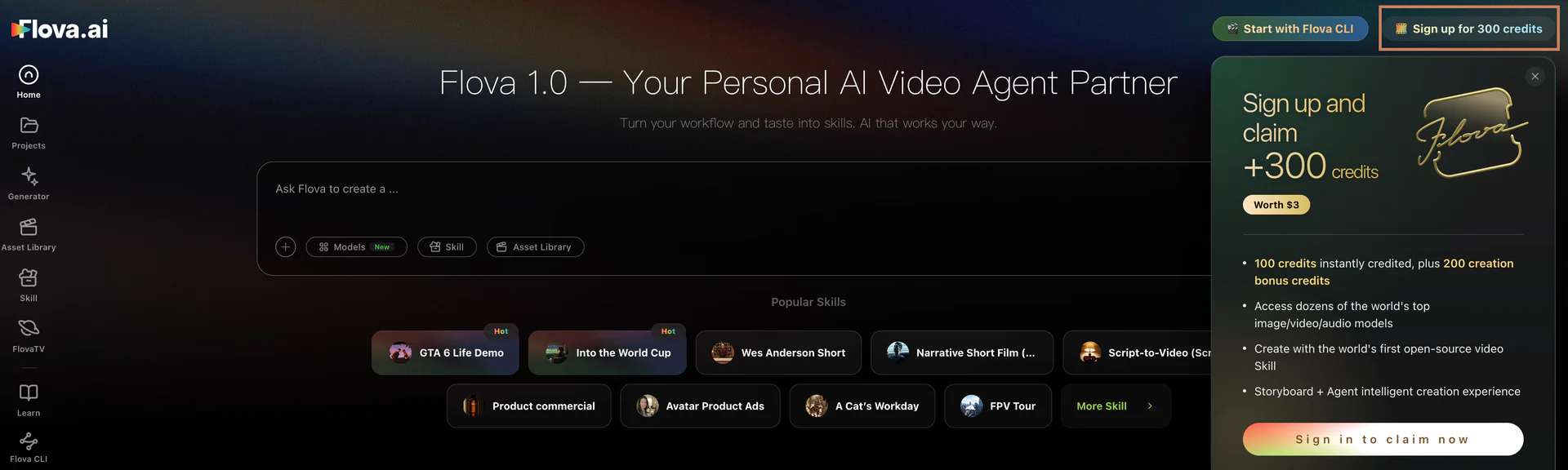
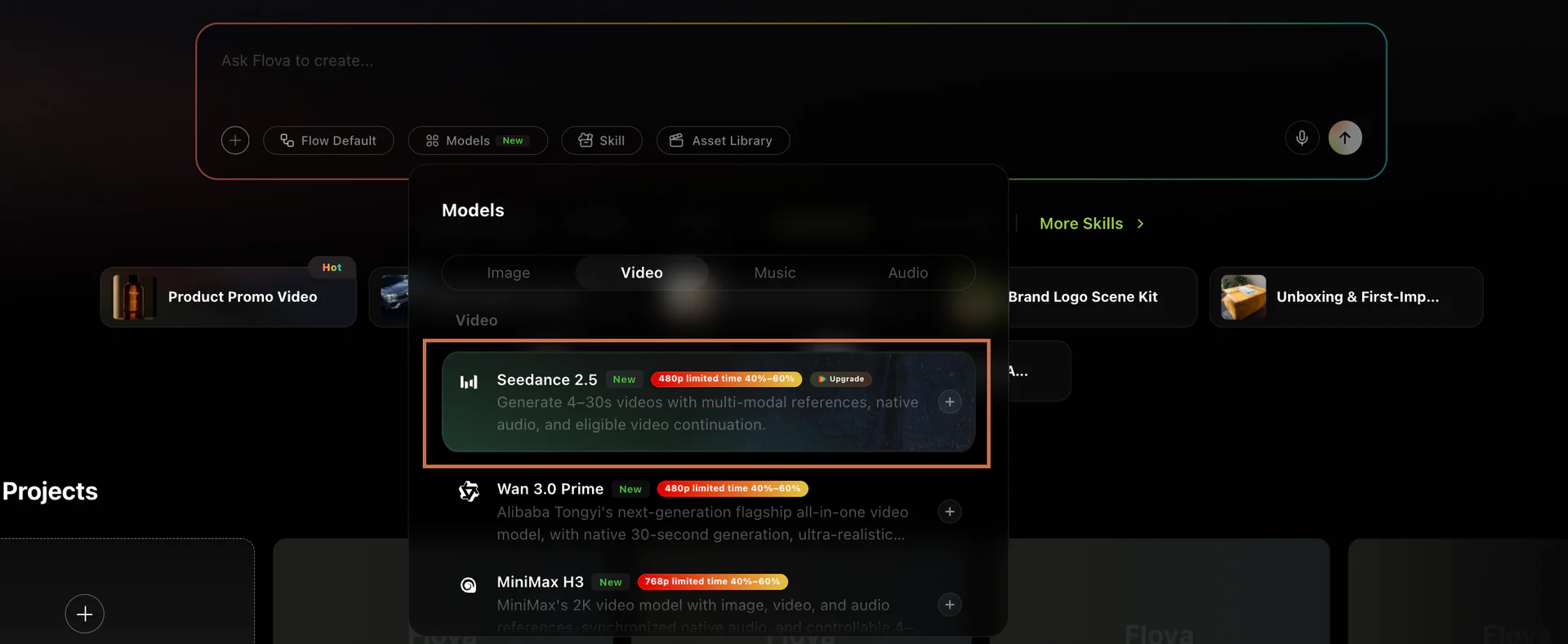
Step 2: Choose the video generation model that fits the style you want.
Step 3: Enter your idea, or add images and videos as references.
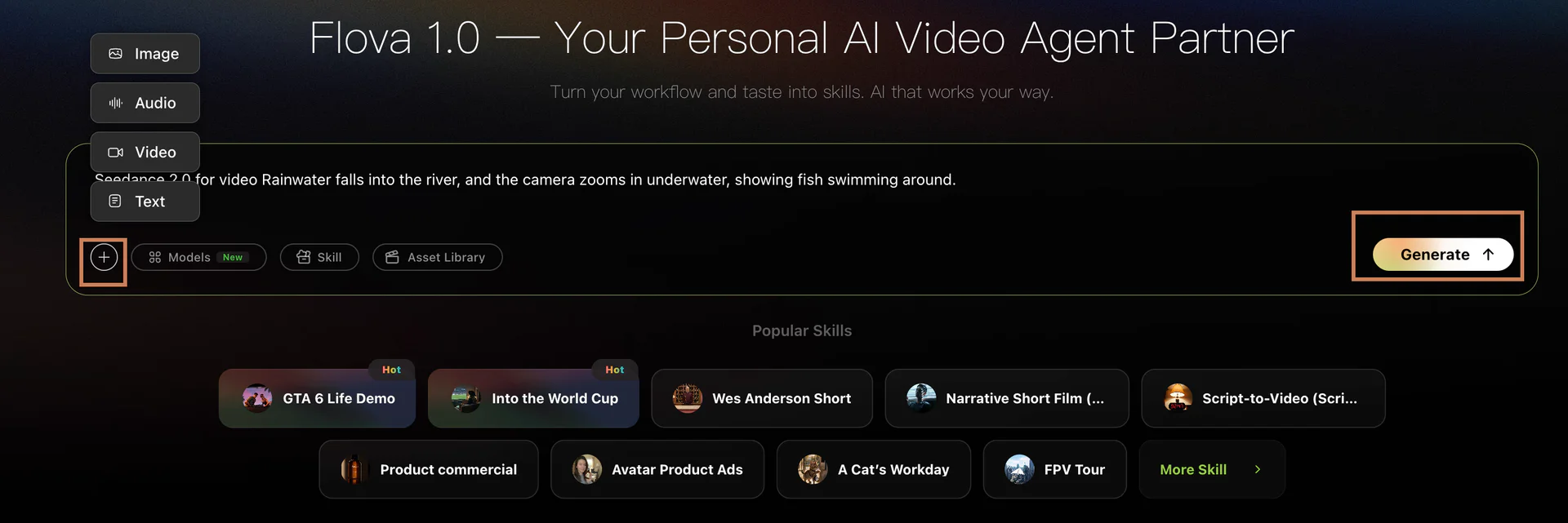
Step 4: Click Generate. Flova Agent can help read your prompt, expand the story, refine details, and talk through scene changes with you.
While the Agent works, you can keep doing other things. If browser notifications are on, you will get an alert when the video is ready.
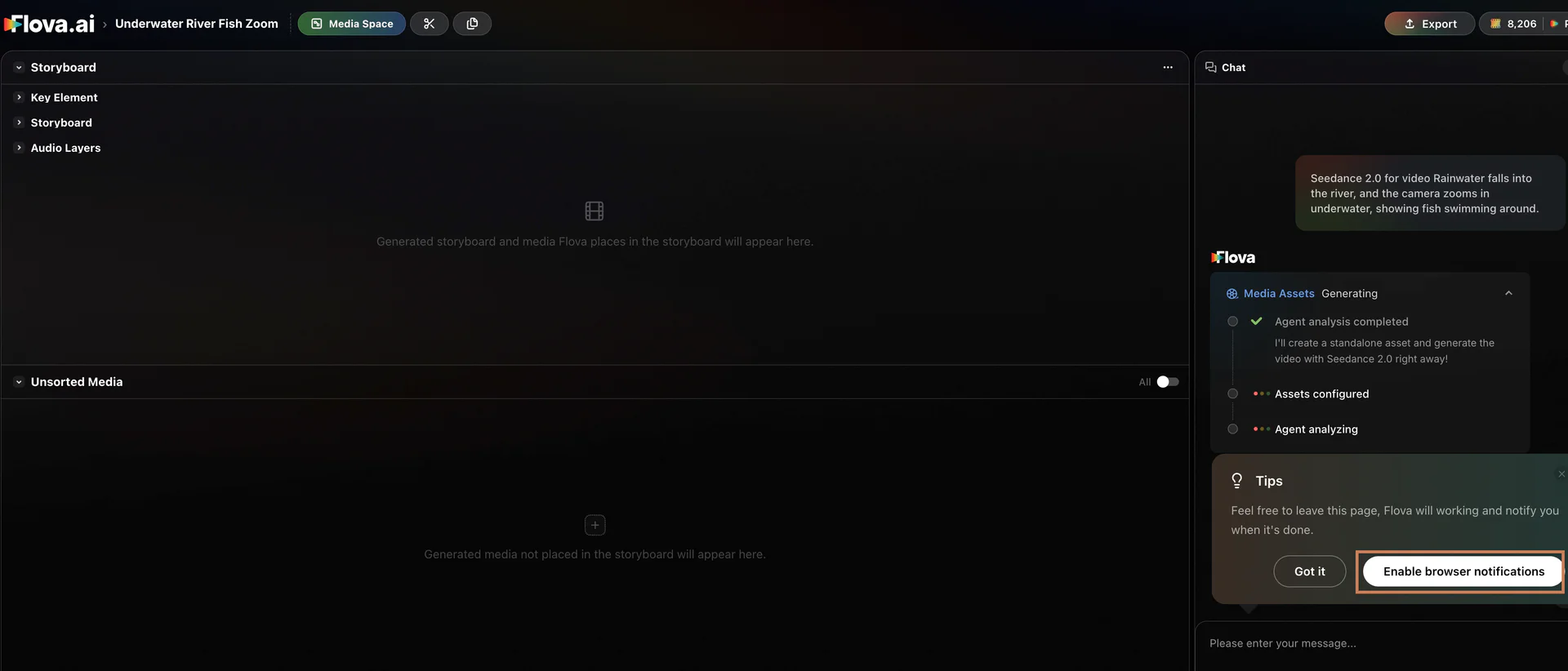
For more complex ideas, the Agent can split the script into separate shots or scenes. You can use comments to adjust one storyboard section without affecting the rest of the project, or use the right-side modules to keep working on related assets and settings.
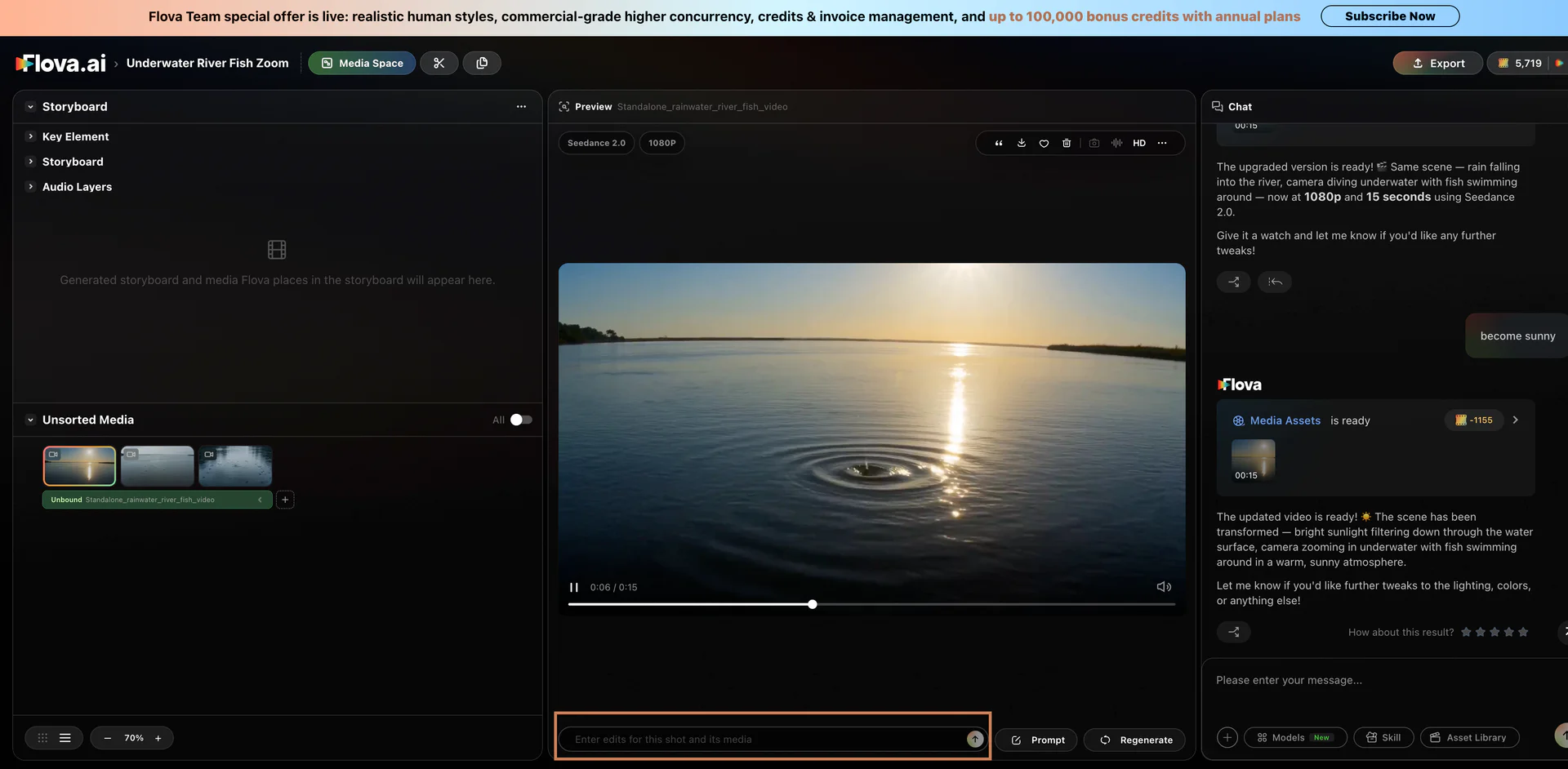
Step 5: When the video is done, click the download icon to name and save it to your computer.
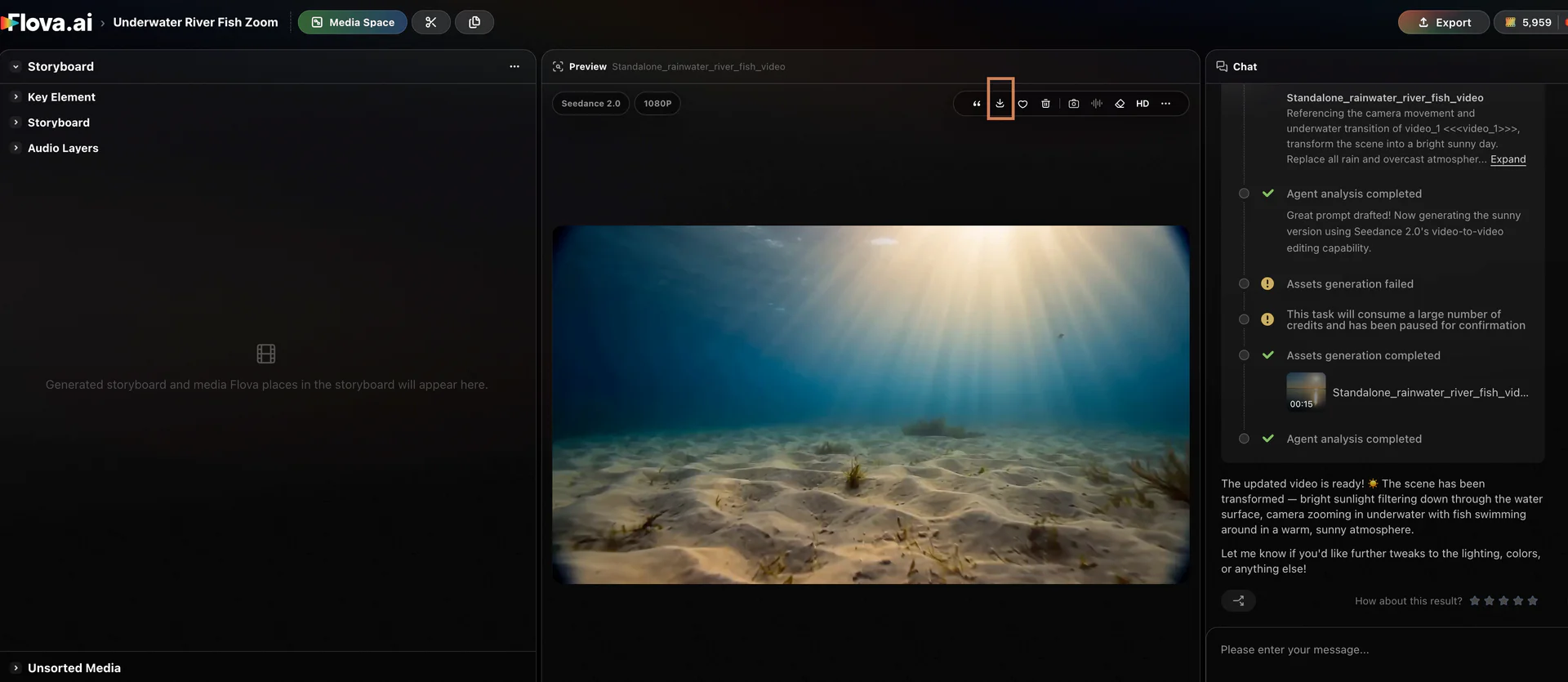
Let’s take a look at how stunning the videos created with Flova AI can be!
FAQ about Seedance 2.5
1. What is Seedance 2.5?
Seedance 2.5 is ByteDance’s new AI video generation model. It was introduced at the 2026 Volcano Engine FORCE conference, with key features including 30-second single-shot generation, up to 50 multimodal reference assets, and the ability to edit only part of a scene.
2. Has Seedance 2.5 been officially released?
ByteDance introduced Seedance 2.5 on June 23, 2026 and said it would move from global enterprise testing into a July rollout. Based on the information available for this article, API access is expected on July 31, 2026. Third-party platforms may still roll it out in stages.
3. How many reference assets can Seedance 2.5 use?
ByteDance has said Seedance 2.5 can use up to 50 reference assets in one generation. These can include text, images, videos, and audio for controlling characters, products, scenes, motion, style, and sound.
4. Can I use Seedance 2.5 in Flova AI?
Flova AI now supports Seedance 2.5, allowing creators to use it alongside other popular video models in one connected workflow. With Flova Agent, creators can plan videos, organize references, use Skills, generate scenes, and turn an initial idea into a finished video.
Conclusion
Seedance 2.5 matters because it makes AI video feel a little closer to a normal creative workflow. The mix of 30-second generation, 50 reference assets, and the ability to edit only part of a scene could give creators more control over characters, scenes, style, and revisions.
For creators, the smart move is to understand the direction now. AI video is shifting from one-off prompting to planning, asset management, model selection, and repeated refinement. With a tool like Flova AI to organize storyboards, references, and Skills, creators can be better prepared to make videos that feel more stable, more consistent, and more recognizable in style, no matter which model they use next.