At a Glance
The Best Free AI Image-to-Video Animation Apps in 2026 at a Glance
This guide covers five image-to-video animation tools with different documented workflows. The order is editorial navigation by documented workflow fit, not an independently tested ranking of motion quality, speed, reliability, value, or usability. Flova is placed first because its official documentation describes an agent, storyboard, shot-binding, and timeline workflow for multi-scene projects. Current plan terms still matter: Pika lists a packs-only Free plan with no watermark but no commercial license; Runway's Free outputs are watermarked; Flova's Free final downloads are watermarked; and Viggle's published Free-watermark information is inconsistent.
The five tools are useful to compare by workflow rather than by an overall winner:
- Flova AI: an agent, storyboard, shot-binding, and timeline workflow for multi-scene projects. The official plan table lists 720p for Free, subject to account and product availability.
- Viggle AI: an uploaded character image can be animated with a motion template or a user-supplied reference video. Viggle describes its library as 8,000+ motion templates.
- Pika: a web-based Video Studio and iPhone app for model- and workflow-dependent image-to-video creation. Its current Free plan lists 0 monthly credits and credit packs.
- Kling AI: prompt-led image animation with camera controls and reference-video Motion Control.
- Runway ML: a creative-video platform whose Free plan offers limited exploration; its Gen-4.5 image-to-video workflow requires Standard or higher and is currently documented for the web.
“Free” does not by itself establish a recurring allowance, a watermark-free file, a particular resolution, or commercial rights. Download a test in the exact account and workflow you plan to use, then confirm the current export setting, available model, credit cost, and rights.
What 'Free' Actually Means for AI Image-to-Video Apps
Free image-to-video access spans several offer types rather than a simple permanent-tier-versus-trial divide. A provider may offer a recurring daily or monthly allowance, a one-time sign-up allocation, a free account that relies on credit packs, or a time-limited trial of a paid plan. The terms can also differ by model, account, region, promotion, app version, and platform.
A free tier is an account level that can remain available without a subscription, but it does not necessarily provide recurring video-generation credits. Pika, for example, currently lists a $0 Free plan with 0 monthly credits and “packs only.” Viggle’s pricing page lists a limited daily video allowance, although official Viggle pages currently publish inconsistent daily quantities. Flova advertises 300 sign-up credits, but those are an introductory promotion subject to campaign terms rather than a guaranteed recurring allowance.
A one-time allocation is available until spent but does not refill. Runway’s Free plan includes 125 one-time credits that do not expire and do not renew or refresh after use. That is different from a time-limited trial, but it is also not a recurring generation budget.
Credits and shared AI allowances are the usual metering systems. The amount used can change with the selected model, clip duration, resolution, reference inputs, and quality settings. Check the estimate shown in the product before generating instead of assuming that every render consumes the same amount.
Watermark status needs provider- and plan-specific language. Pika’s current pricing page lists no watermark on Free, while older help material uses retired plan wording. Runway explicitly says all Free-plan videos carry a watermark. Flova reserves watermark-free export for eligible paid plans, and Free final downloads carry a Flova watermark. Viggle’s reviewed official pages conflict, so its Free exports should not be promised as either watermarked or watermark-free without an account-level check.
Resolution and duration are also model-specific. A listed plan resolution is not a universal promise for every model or device. Free access can also exclude commercial rights: Pika’s Free plan does not include a commercial license, and Flova’s terms restrict commercial use of outputs created during a period without a subscription that explicitly permits it.
How We Evaluated These Free Image-to-Video Apps
This is a documentation-led comparison, not a report of hands-on testing. It summarizes publicly available official product pages, pricing pages, help documentation, terms, and platform listings available at review. It does not claim that the same photographs were animated in every tool or that the providers were scored side by side.
The comparison focuses on documented workflow, plan structure, credits or allowance, watermark treatment, stated resolution or duration where a provider makes a plan-specific statement, platform availability, and stated commercial-use terms. Where official pages conflict or a claim was not verified, the article says so rather than filling the gap with a performance judgment.
This guide does not independently assess output quality, motion realism, artifact frequency, physical plausibility, render speed, queue priority, reliability, interface clarity, or value. Readers who need a production decision should run the same approved still image and a restrained, matched motion brief in each eligible account. Inspect faces, hands, products, labels, text, reflections, edges, proportions, backgrounds, contact, gravity, and camera consistency before committing to a workflow.
Platform availability is described only where a first-party web entry point, official mobile listing, or official desktop release was verified. A mobile app’s existence does not establish that its models, plan terms, credits, settings, or image-to-video features match the web product.
How AI Image-to-Video Animation Works (in Plain English)
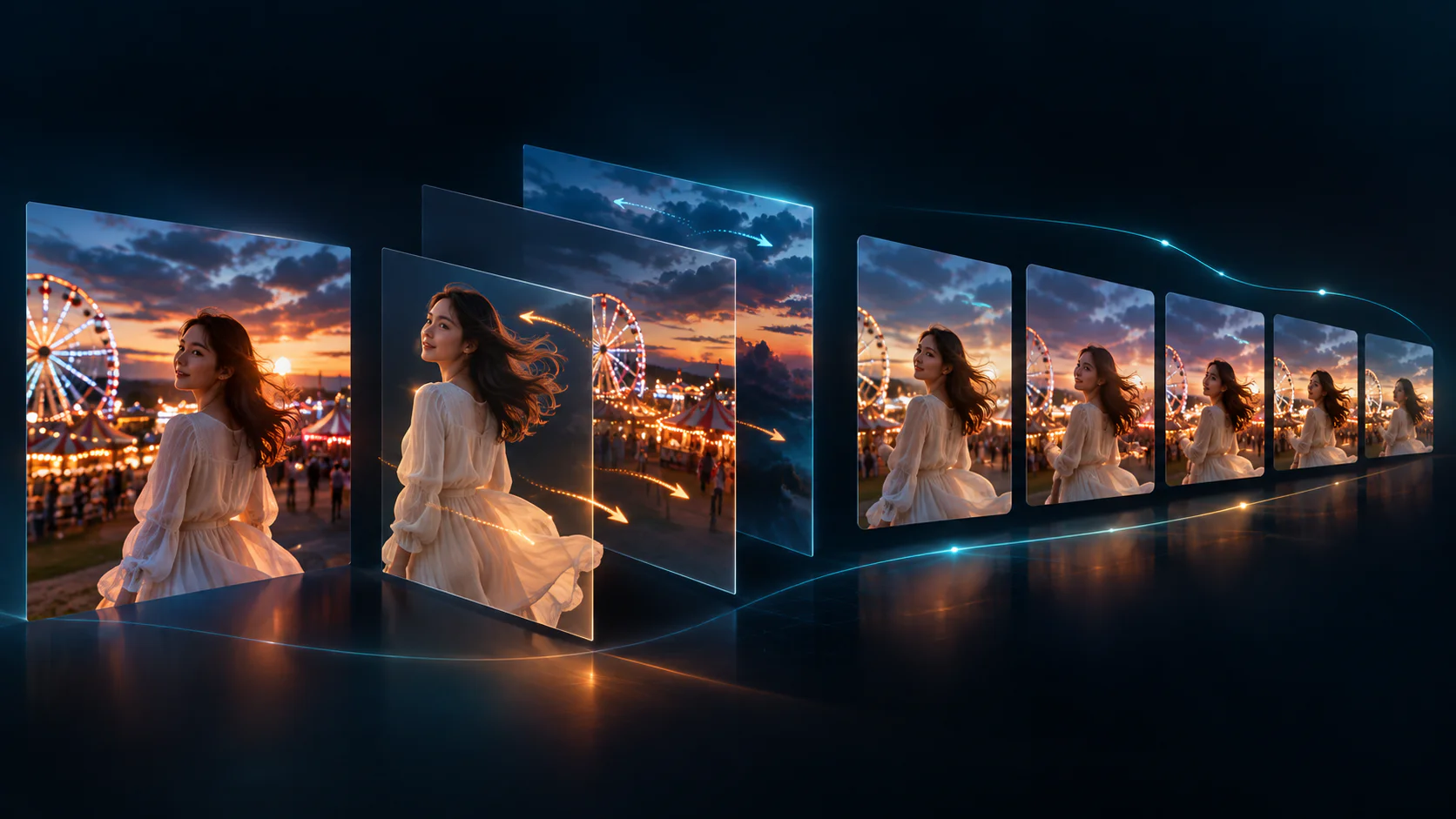
Image-to-video generation starts with a still image and, in many workflows, a text instruction, motion template, reference video, camera control, or audio input. The model creates a sequence of new frames intended to depict motion over time. The result is commonly a short clip, but available duration depends on the selected tool and model.
The model uses patterns it learned during training to interpret visible structure in the source image, such as a subject, background, boundaries, pose, lighting, and depth cues. It then generates successive frames that are consistent with the source and the requested action as far as the model can manage.
The original still image contains no hidden motion recording for the system to play back. Intermediate frames are generated from learned patterns, so the result is a synthetic prediction rather than a factual record of what happened. That distinction is why results can depart from a source image or show visual inconsistencies.
Generation is typically metered through credits or an AI allowance, not a published quantity of GPU time. Longer clips, higher resolution, selected models, and additional settings can require more allowance. Providers can change those rules, so the pre-generation estimate and live plan page are the most useful checks.
The 5 Best Free AI Image-to-Video Animation Apps in 2026, Ranked
The numbered entries below are organized by documented workflow fit and current access conditions, not by an independently verified quality score or a claim that one provider is universally better than another. Flova appears first because its official documentation describes an integrated multi-scene flow from planning and storyboard creation through shot-level media binding and timeline assembly; this is a workflow-positioning choice, not an output-quality ranking.
1. Flova AI
Flova supports an agent-led workflow for planning multi-scene projects, creating a storyboard, linking media to individual shots, and assembling shots on a timeline. Its documentation describes reference reuse as a way to support a more consistent character look; it does not guarantee perfect consistency across every model, shot, or prompt.
Flova currently advertises a 300-credit sign-up promotion: 100 credits are credited immediately and 200 credits are described as a creation bonus. The offer is subject to campaign terms and may change. It is an introductory allocation, not a guaranteed recurring daily or monthly credit balance.
The current plan table lists 720p for Free, subject to account, product, and version availability. Free final video downloads carry a Flova watermark. Watermark-free export requires an eligible paid plan, such as the listed paid Starter, Basic, or Pro tiers. Available video duration depends on the selected model and setting; Seedance 2.5, for example, is advertised for clips up to 30 seconds, while free-credit access is limited to select models. Flova currently displays its Personal Plan as $17 per month when billed annually ($200 billed annually), but price can vary by account, region, campaign, and tax rules.
Flova's official pages reviewed describe browser-based creation and a CLI. They do not substantiate native iOS or Android applications, or a downloadable Windows or Mac client. Commercial use is available only with an eligible paid plan; do not use outputs created during a period without a subscription that explicitly permits commercial use for commercial purposes.
Best for: projects that benefit from documented planning, storyboard, shot-binding, and timeline features across multiple scenes. Confirm the selected model, credit eligibility, watermark, price, and commercial-use terms in the account before production.
2. Viggle AI
Viggle AI lets a user upload a character image and apply motion from a template or an uploaded reference video. Viggle describes this workflow as full-body motion animation and currently advertises 8,000+ motion templates. That makes it a documented option for projects that begin with a character image and a specific motion reference.
Viggle has Free, Pro, Live, and Max tiers. Its current pricing page lists Free at $0, 0 monthly credits, one concurrent generation, seven-day asset storage, and a limited daily video allowance. The published daily quantity is not fully consistent across Viggle's official pages, so a permanent quota should not be assumed.
Watermark treatment on Viggle Free exports requires a current account-level check. Its pricing table explicitly lists 'No watermark' for paid Pro, Live, and Max plans, while other official material gives conflicting Free-export wording. No verified universal Free resolution ceiling is stated in the reviewed first-party material. Viggle is available through a web interface and official iOS and Android apps; the linked Discord presence is a community, not verified here as a generation interface.
Best for: creators who want a documented character-image workflow based on a large template library or their own motion-reference clip. Confirm current watermark, allowance, and export settings before planning direct publication.
3. Pika
Pika offers a web-based Video Studio and an official iPhone app. Its current consumer Free plan is listed at $0 per month with 0 monthly credits and 'packs only,' so it should not be described as a recurring free-credit plan.
The current Pika pricing page lists No watermark for the Free plan. That plan does not include a commercial license. Pika's terms restrict use to personal, noncommercial purposes unless a plan expressly permits commercial use, so an unwatermarked Free export is not by itself permission to use the output in marketing or paid work.
Output settings depend on the model and workflow. For example, Pika's Seedance 2.5 image-to-video API documents MP4 and MOV outputs, 480p, 720p, and 1080p settings, and 4- to 30-second durations; those model-specific API settings should not be presented as a universal cap or promise for the consumer web or iPhone product. An official Android consumer-video app was not verified in this review.
Best for: readers who want to examine Pika's model-specific image-to-video options and can use the current packs-only Free plan for personal, noncommercial experimentation. Check the live pricing page and the selected workflow before generating.
4. Kling AI
Kling supports image-to-video generation guided by prompts for subject and background motion. Its official guides also document six basic camera controls and reference-video Motion Control for one image character. Those controls make it relevant to a workflow that needs directed camera movement or a supplied motion reference.
Kling uses credits. Current subscriber plans list daily free credits, but the reviewed material does not establish a fixed daily refresh or a universal daily amount for every Basic/free account. Activity-linked or promotional login credits can change, so readers should confirm the live plan page in their account.
Kling VIDEO 3.0 documents 720p and 1080p modes. The current membership matrix presents 1080p/4K video generation, brand-watermark removal, and commercial use as paid-membership benefits; it does not support a universal Basic/free-resolution promise. Non-members should not treat exports as watermark-free: Kling reserves brand-watermark removal for membership and its terms may require retention of a brand watermark or a prominent Kling-generated disclosure. Required AI-content labels or metadata can remain even when a paid plan removes a brand watermark.
Best for: readers evaluating prompt-led image animation, camera controls, and reference-video Motion Control. Test the intended action and review current export terms, especially for fast or complex movement, commercial use, and watermark treatment.
5. Runway ML
Runway offers a web platform and official iPhone and Android apps. Its help documentation recommends a desktop or laptop for the full experience. Runway's Gen-4.5 documentation currently lists Web as that model's platform, so a general mobile-app claim should not be read as Gen-4.5 feature parity on mobile.
Runway's Free plan includes 125 one-time credits for a limited selection of tools. The credits do not expire, but they do not renew or refresh after they are spent. All videos generated on the Free plan carry a Runway watermark, which makes the plan best treated as an evaluation route when the planned distribution cannot accept that branding.
Gen-4.5 requires Standard or higher. On those plans, it supports image-to-video and text-to-video clips from 2 to 10 seconds at 720p. Runway says it does not restrict commercial use of outputs, subject to its Terms of Use and Usage Policy; that statement is not a guarantee of rights in a user's input, third-party material, or resulting output.
Best for: readers who want to evaluate Runway's documented web-based Gen-4.5 image-to-video workflow before choosing a paid plan. Free-plan watermarks and tool eligibility should be checked before a client or public-distribution project.
Free AI Image-to-Video Apps Compared: Free Tiers, Watermarks & Resolution
The following table preserves the five tools and comparison columns from the original article. Terms are stated conservatively because plan conditions and eligibility can change.
No listed tool should be described as the only watermark-free Free option. Pika’s current pricing page lists no watermark on Free, but Free commercial rights are not included. Viggle’s Free-watermark information conflicts across official pages. Flova and Runway free exports are watermarked under the documented conditions above, while Kling reserves brand-watermark removal for paid membership. A user should verify the current export preview and terms for the precise account, model, and asset set before publishing.
Output Quality and Motion Realism: Which Free Apps Actually Look Good
Official product pages describe workflows and settings; they do not establish an independent, reproducible ranking for visual quality, artifact frequency, physical plausibility, or camera coherence. This guide therefore names no output-quality winner. A useful reader test is to generate the same approved still image and a restrained motion brief in every eligible workflow, then review the full output at the intended delivery size.
Kling AI
Kling documents prompt-led subject and background motion, camera controls, and reference-video Motion Control. Its own guidance identifies complex physics and fast or complex movement as areas that can be less reliable. Review the intended action, subject proportions, contact with the ground, and background stability rather than assuming realistic motion from a provider description.
Runway ML
Runway documents image-to-video capability for Gen-4.5 on Standard and higher plans, with 2- to 10-second 720p clips. The documentation establishes model access and settings, not an objective claim that a particular clip will be artifact-free or superior to another provider. Check the selected model, account eligibility, and export before evaluating a creative brief.
Pika
Pika’s output controls vary by product surface and selected model. Its Seedance 2.5 API documentation gives a concrete example of selectable output formats, resolution, and duration, but it does not prove a single quality outcome for all Pika workflows. Inspect faces, text, fine edges, reflections, and any fast motion in a test appropriate to the planned use.
Viggle AI
Viggle describes template- and reference-video-driven full-body character animation. A template can provide a more explicit motion source than an open-ended prompt, but its documentation does not independently establish how every character, pose, costume, or background will render. Test a representative source image and the exact template or reference clip before committing to volume production.
Flova AI
Flova is a workflow that can expose multiple video models and production controls rather than one single motion model. Its documentation says reference reuse can support a more consistent character look across shots, but that is not a guarantee of quality or identity consistency. Evaluate the chosen model, prompt, shot context, and timeline assembly with a test project before relying on a multi-scene result.
Platform Availability: Best Free Options for Web, Android, iOS and Desktop
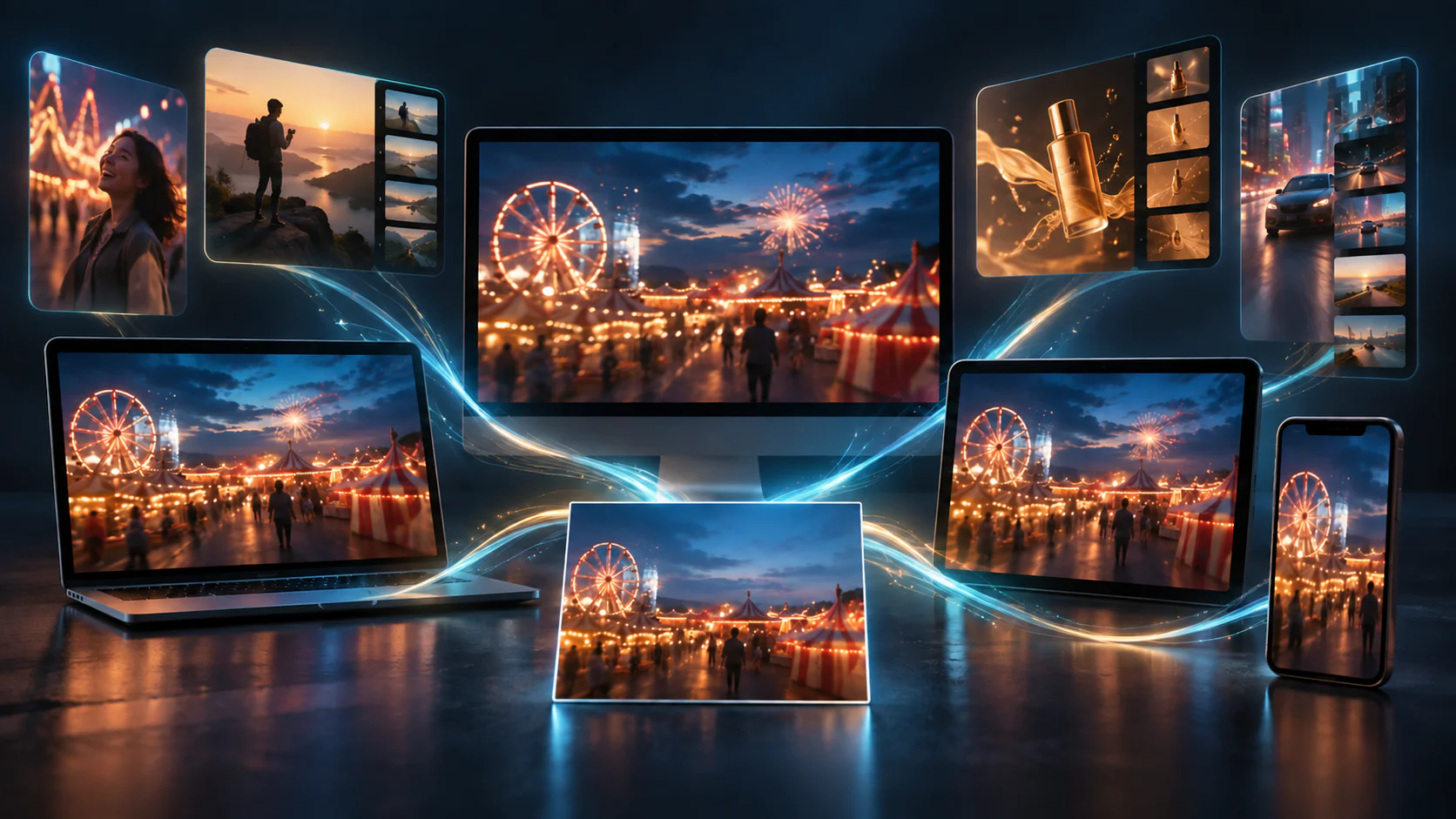
All five tools have a first-party web entry point. Native access and feature availability vary by provider, and a device listing does not prove image-to-video feature or plan parity with the web product.
Web (browser-based)
Viggle, Pika, Kling, Runway, and Flova have first-party web entry points. Flova’s official material supports browser-based creation; it should be described as a web application rather than a confirmed native mobile or desktop app. Runway’s documentation recommends desktop or laptop use for the full experience, and its Gen-4.5 page currently lists Web as the model platform.
Android
Viggle, Kling, and Runway have official Android availability. Pika’s official Android consumer-video app was not verified in this review. Flova does not have an official Android release substantiated by the reviewed official pages. Availability of a mobile app does not confirm the same models, credit terms, watermark behavior, or image-to-video features as the web version.
iOS
Viggle, Kling, and Runway have official iPhone availability. Pika has an official iPhone app published by Mellis, Inc. Flova’s reviewed official pages do not substantiate a native iOS release. Readers should check the live store listing and the in-app creation screen for availability in their region and account.
Desktop (installed software)
Kling has official Windows and Mac desktop downloads. A standalone Windows or Mac client was not verified for Viggle, Pika, or Runway; browser use on a desktop or laptop is verified for those tools. Flova’s official site supports browser-based creation, but a downloadable Windows or Mac client was not substantiated.
A free download is not the same as unlimited free generation. Mobile and desktop features may be metered separately by credits, allowances, models, and subscription terms. Verify the current creation screen and export preview on the device you intend to use.
How to Animate a Photo Step-by-Step on a Free Tier
The following six steps are a general workflow. Names, controls, credit costs, resolution settings, and export terms vary by tool and model.
1. Upload Your Source Image
Start with an image you have the right to use. Choose a clear source that makes the subject, intended motion, and important details easy to inspect. If a project involves a recognizable person, brand, or protected material, obtain the permissions required for the intended use.
2. Choose a Motion Template or Write a Prompt
Use the control the selected workflow provides. Viggle can use a motion template or reference video; Kling documents prompts, camera controls, and Motion Control; other tools may use a prompt, storyboard, or model-specific setting. Describe one restrained action and, where available, the camera movement. Do not assume a template costs fewer credits than a prompt unless the product displays that estimate.
3. Set Length and Resolution Within Free Caps
Check the selected model’s duration, resolution, and credit estimate before starting. A plan’s headline resolution does not necessarily apply to every model or free account. Choose the available settings that match the test’s delivery need and keep a credit reserve for revision.
4. Generate the Clip
Submit the generation only after reviewing the displayed inputs, credit cost, and plan requirement. Queue time and availability can change with account status, model demand, and service conditions; this guide does not make a universal priority or wait-time claim.
5. Review and Regenerate if Needed
Watch the complete clip and inspect faces, hands, products, text, reflections, edges, background consistency, contact, gravity, and camera motion. A new generation can consume additional credits or allowance. Record the prompt, model, settings, and source version so that a useful result can be reproduced or revised.
6. Export and Check for Watermarks
Download a test in the exact project you plan to publish. Confirm the account, selected model, and any design assets permit the needed export, watermark treatment, resolution, and commercial use. Flova Free final downloads carry a Flova watermark; Runway Free videos carry a Runway watermark; Pika’s current Free pricing lists no watermark but no commercial license; Viggle’s Free watermark status should be checked in the live account; and Kling’s paid plans list brand-watermark removal.
Best-For Picks: Social Clips, Marketing, Creators and Hobbyists
These are workflow-fit suggestions derived from provider documentation, not performance rankings or guarantees of output quality.
Social Clips
Pika may be worth considering for personal, noncommercial experimentation with its web product or official iPhone app because current Free pricing lists no watermark. The plan is packs only with 0 monthly credits, and a no-watermark export does not include commercial rights. Check the live plan and workflow settings before publishing to a monetized channel.
Marketing and Business Use
Do not select a tool for business use on watermark status alone. Pika Free does not include a commercial license. Flova reserves commercial use and watermark-free export for eligible paid plans. Kling lists commercial use and brand-watermark removal for paid memberships. Viggle and Runway terms and plan conditions should be reviewed for the exact account and project. Use only inputs for which you have the necessary rights.
Serious Creators and Filmmakers
Runway’s Free plan can support limited product evaluation with 125 one-time credits, but Free videos carry a watermark. Gen-4.5 image-to-video requires Standard or higher on Web. A serious production decision should include a representative test of the intended model, duration, export, rights, and revision budget rather than an assumption of cinematic quality.
Hobbyists on a Budget
Viggle’s documented template and reference-video workflow, Pika’s current packs-only Free plan, and limited free-account access at other providers can support experimentation. The practical choice depends on whether the project needs character motion, a particular model, a recurring allowance, an unwatermarked file, or commercial rights. Verify all of those conditions before investing time in a project.
Connected Story and Campaign Production
Flova documents agent-led planning, storyboards, shot-linked media, and timeline assembly for multi-scene projects. That makes its workflow relevant where planning and shot organization matter. Its sign-up credits are promotional and not a guaranteed recurring balance; Free final downloads are watermarked, and commercial use requires an eligible paid plan. Plan a short test sequence before treating it as a production pipeline.
Free-Tier Limitations and When to Upgrade
Free access can be useful for evaluation and personal experimentation, but the exact constraints differ by provider. The three most common categories are watermark or export restrictions, model-specific resolution and duration limits, and metered credits or allowance. Commercial rights are a separate condition that must also be checked.
Watermarks and Export Rights
A watermark is not a universal Free-tier rule, and a watermark-free export is not a universal right to publish commercially. Runway says all Free videos are watermarked. Flova Free final downloads carry a Flova watermark, with watermark-free export on eligible paid plans. Pika’s current pricing lists no watermark on Free but does not include a commercial license. Viggle’s Free-watermark status is inconsistent in reviewed official information, and Kling lists brand-watermark removal as a paid-membership benefit. Confirm the actual export preview and license terms for the project.
Resolution and Duration Limits
Avoid a single “free resolution cap” for this group. Flova lists 720p for Free. Kling VIDEO 3.0 documents 720p and 1080p modes, but the membership matrix makes higher-entitlement claims for subscribers. Runway Gen-4.5 is 720p on Standard and higher, not a documented Free-plan promise. Pika’s available settings are model- and workflow-specific. Duration can likewise be model-specific: Flova advertises up to 30 seconds for Seedance 2.5, not a universal Free maximum.
Credit or Allowance Exhaustion
Credits, shared AI allowance, and account eligibility limit how much a free account can create. Runway’s 125 Free credits are one time and do not renew. Pika lists 0 monthly credits and packs only. Viggle lists a limited daily allowance but has conflicting published quantities. Flova’s 300-credit sign-up offer is promotional and subject to campaign terms. Preserve credits for representative tests, and check the displayed cost before using a higher-duration, higher-resolution, or premium model setting.
Upgrading may be appropriate in three situations:
- The project requires an eligible commercial license or a required watermark treatment. Verify that the paid plan expressly covers the intended use; a paid subscription does not guarantee exclusivity or clear every input-rights issue.
- The project needs more volume, a particular model, or a larger revision budget than the current free account provides. Compare the current allowance, credit packs, and plan terms instead of assuming every paid tier offers the same capacity.
- The project needs a documented resolution, duration, or production control that is unavailable in the tested free workflow. Upgrade only after the representative source image and motion brief have proven the desired result.
Free access can still be appropriate for a limited, permitted test. Do not rely on cropping, hiding, or removing a watermark as a workaround for plan terms or license restrictions.
Frequently Asked Questions
Which AI image-to-video app is genuinely free with no watermark in 2026?
There is no single answer that applies to every account, model, and use case. Pika’s current Free pricing page lists no watermark, but the plan has 0 monthly credits, is packs only, and does not include a commercial license. Runway Free videos are watermarked. Flova Free final downloads carry a Flova watermark, and watermark-free export requires an eligible paid plan. Viggle’s official Free-watermark information conflicts, while Kling reserves brand-watermark removal for paid membership. Check the live export preview and terms before publishing.
Is there a free AI image-to-video app for Android?
Viggle, Kling, and Runway have official Android availability, and each has plan- and feature-specific conditions. Pika’s official Android consumer-video app was not verified in this review, although Pika has a web app and official iPhone app. Flova is browser-based; official Android and iOS apps were not substantiated by the reviewed official sources. Mobile availability does not establish feature parity with web.
Can you get unlimited free AI image-to-video generation?
Do not assume unlimited free generation. Runway’s Free credits do not renew after they are spent; Pika’s Free plan lists 0 monthly credits and packs only; Viggle lists a limited daily allowance; and Flova’s displayed sign-up credits are promotional. A provider can change credit, model, and account rules, so check the live plan page and creation screen.
Do free AI image-to-video apps require a sign-up or download?
Requirements vary. A web product may require an account before generation even though it does not require a download. Native mobile access requires a supported store installation where one is officially available. Flova is documented as browser-based, while Viggle, Kling, and Runway have official mobile apps; Pika has an official iPhone app. Confirm the current sign-in and feature requirement in the selected product.
How is a free tier different from a free trial for these apps?
A free account can remain available without a subscription, but its generation allowance may be recurring, promotional, packs-only, or absent. A trial generally gives temporary access to paid features or a limited trial allocation. Runway’s Free plan is neither a recurring allowance nor a conventional time-limited trial: it provides 125 one-time credits that do not expire or renew. Read the provider’s current credit and renewal terms before treating any offer as ongoing.
What's the best free app to turn a photo into a talking video?
No overall “best” is named in this documentation-led guide. CapCut documents an AI dialogue scene workflow that lets users upload a photo or character image, add text or audio, select an available voice, and generate lip-synced speech; availability can vary by device, account, app version, and region. Flova documents general image-to-video and an OmniHuman-powered uploaded-music lip-sync Skill, but the reviewed public documentation does not verify a dedicated single-photo talking-head feature. Check current feature access, export terms, and credit requirements.
How long and what resolution are the videos on free image-to-video tiers?
There is no reliable group-wide number. Settings depend on the provider, model, account, and plan. Flova lists 720p for Free, subject to product availability. Runway’s Gen-4.5 offers 2- to 10-second 720p clips on Standard and higher, not as a universal Free setting. Pika’s Seedance 2.5 API documents 4- to 30-second clips and 480p to 1080p settings for that API workflow. Confirm the selected model’s live generation settings before planning a deliverable.
What is Flova AI best for?
Flova is documented for agent-led planning, storyboarding, media linked to shots, and timeline assembly across multi-scene projects. It may be appropriate to evaluate when a project needs organized planning and shot context rather than only a single generated clip. Its 300-credit sign-up offer is promotional; Free final downloads are watermarked; watermark-free export and commercial use require an eligible paid plan. The official material reviewed supports browser-based creation, not native iOS or Android app availability.